|
CAPTURE |
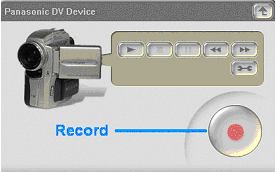
- Select the DV camcorder.
- Click on Record to start recording the content. Click
on the button again to stop recording.
|
 |
EDIT
|
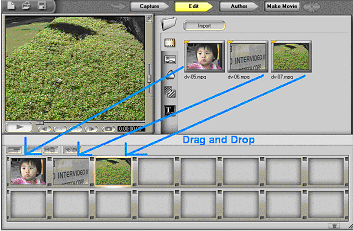
- Click on Edit. To import files, click on the import
button in the media library. Select your files.
- Drag and Drop your files onto the Storyboard.
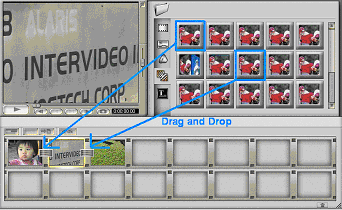
- Click on the Transition icon. Drag and Drop the
desired transition in between the cells.
|
 |
AUTHOR
|
- Click on Author. The numbers representing the Chapters
should be displayed on your Storyboard.
- Select a theme and double click on it to edit.
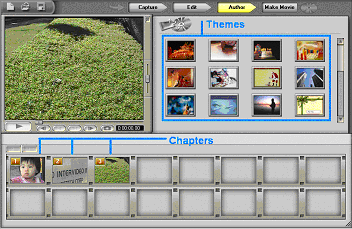
|
 |
MAKE
MOVIE |
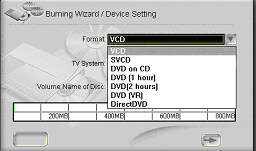
- Choose a format to create your DVD. Click

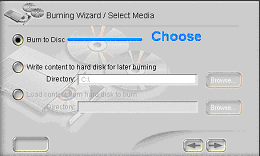
- Select "Burn to Disc." Click
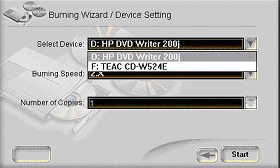
- Select your CD-RW or DVD-RW device, and click

|
That’s it! You have just created a DVD. Show it off to your
family and friends.
|